🔄 Pipeline
This page walks through what MMIRAGE actually does when you run mmirage run.
It covers the full lifecycle of a pipeline from config loading to final output.
For background on terms used here, see Concepts.
Overview
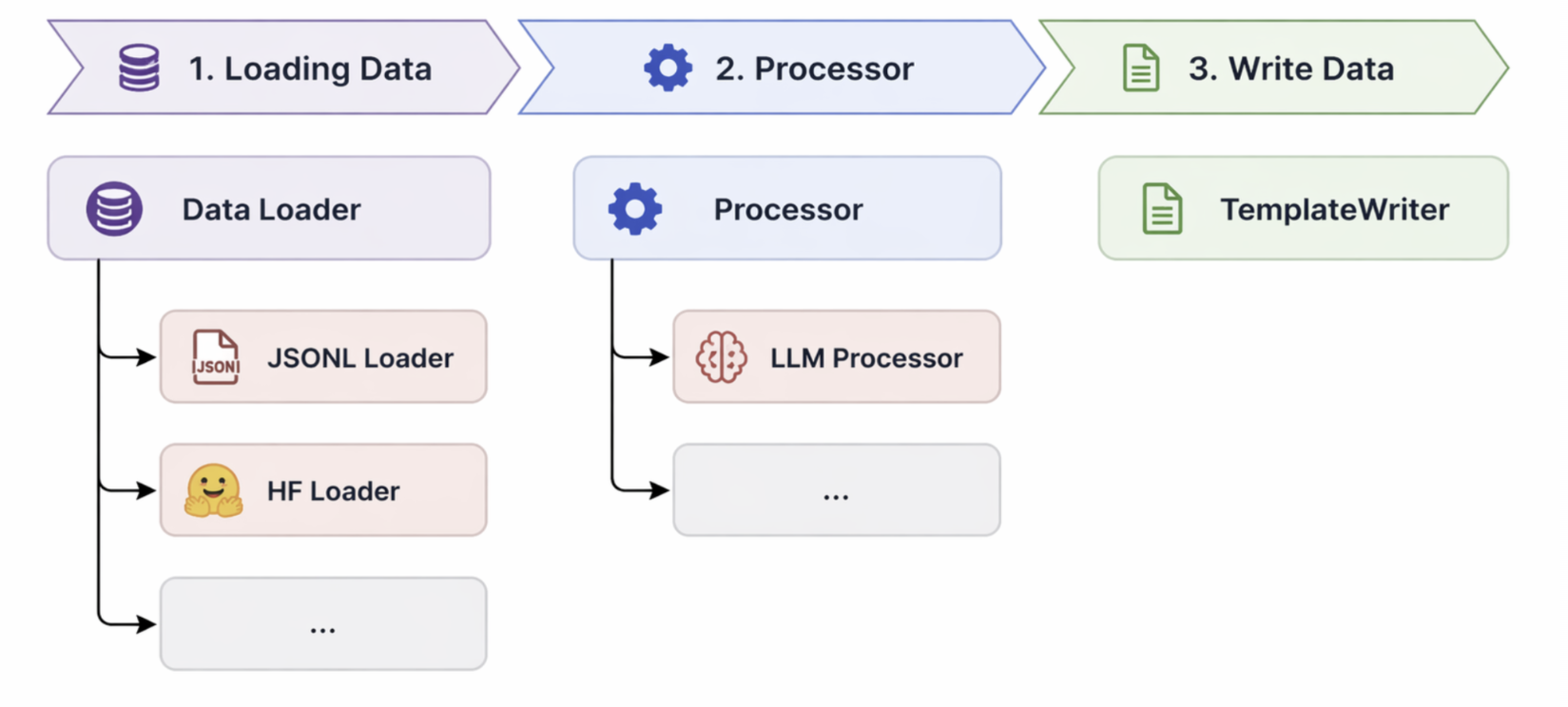
At a high level, every MMIRAGE pipeline follows the same stages:
YAML config
    │
    ▼
Config loading & validation
    │
    ▼
Dataset loading
    │
    ▼
Sharding
    │
    ├──── shard 0 ──────────────────────────────────────────┐
    ├──── shard 1 ─────────────────────────────┐            │
    └──── shard N ──────────┐                  │            │
                            │                  │            │
                            ▼                  ▼            ▼
                       Map each batch (extract → infer → render)
                            │
                            ▼
                       Atomic write to shard_<id>/
                            │
                            ▼
                       State marker (success / failure)
                            │
                            ▼
              Orchestration (retry failed shards → merge)
Stage 1 — Config loading
MMIRAGE reads the YAML file you pass to --config and constructs a typed
MMirageConfig object.
During loading:
${ENV_VAR}references in string values are expanded from the process environment.The raw dict is validated and cast to typed dataclasses via
dacite.shard_idset to"$SLURM_ARRAY_TASK_ID"is resolved to the integer value of that environment variable at load time.
If required fields are missing or types do not match, MMIRAGE reports a clear error before doing any work.
Stage 2 — Dataset loading
Each entry in loading_params.datasets is passed to the appropriate
DataLoader based on its type field:
|
Loader |
Source format |
|---|---|---|
|
|
Plain |
|
|
HuggingFace |
Multiple datasets can be listed; they are concatenated into one in-memory dataset before sharding.
Stage 3 — Sharding
The combined dataset is split into num_shards non-overlapping slices.
Only the slice corresponding to shard_id is processed.
This means if you run mmirage run locally with num_shards: 4, it processes
only shard 0 by default (or the shard specified with --shard-id).
On SLURM, each array task runs with a different shard_id, so all shards are
processed in parallel.
Stage 4 — Mapping (per batch)
The heart of MMIRAGE is the mapper, which processes the shard in batches. For each batch:
4a. Extract input variables
Each sample in the batch is inspected.
For each InputVar defined in processing_params.inputs, MMIRAGE applies
the JMESPath expression to the sample dict and stores the result by variable name.
For type: image inputs, the extracted value (a filename or relative path) is
resolved to an absolute path using image_base_path, then optionally loaded
as a PIL Image.
4b. Run the processor
For each OutputVar in processing_params.outputs, MMIRAGE:
Renders the prompt template with all currently available input variables.
Passes the rendered prompt (and any image inputs) to the configured processor.
Stores the model’s response under the output variable’s name.
The processor is the SGLang engine (for local inference) or a provider batch API orchestrator (for batch mode).
If output_type: JSON, the response is parsed as JSON before storage. A response
that fails to parse is stored as an empty dict and logged as a warning carrying a
truncated copy of the raw output; the full text is logged at DEBUG.
When the output variable declares typed fields or min/max bounds, the parsed
value is validated against the full schema after decoding (missing fields, type
mismatches, and bound violations). Failures are logged as a warning and the
parsed value is stored unchanged, nothing is clamped or discarded.
A custom output skips the prompt step entirely: the row’s variables are passed
as a dictionary to your Python function, running in a separate process pool
(see Custom Module).
4c. Render the output schema
Once all output variables are computed, the TemplateRenderer applies the
output_schema Jinja2 template to produce the final sample dict.
Each field in the schema that is a plain {{ var }} reference is substituted
directly (preserving the original Python type — list, dict, PIL Image, etc.).
Fields with complex Jinja2 expressions are fully rendered as strings.
Stage 5 — Atomic write
After all batches in a shard are processed, the result is saved to disk.
MMIRAGE uses a temp-then-rename strategy:
The processed dataset is written to a temporary directory with a unique name (
<output_dir>/shard_<id>.<host>.<pid>.<uuid>).Once writing succeeds, the temp dir is atomically renamed to
<output_dir>/shard_<id>/.
This guarantees that a partially written shard never looks complete, and that concurrent writes from multiple nodes on a shared filesystem do not collide.
Stage 6 — State marker
After the shard finishes (success or failure), MMIRAGE writes a status.json
file to <state_dir>/shard_<id>/:
{
  "status": "success",
  "retry_count": 1
}
This file is read by the orchestrator to determine which shards need retrying.
Stage 7 — Orchestration
After all shards have been submitted and finished and if retry is set to true, the CLI orchestrator:
Reads every
status.jsonfile.Resubmits any failed shard (up to
max_retriesattempts).Once all shards succeed (or the retry budget is exhausted), optionally runs
merge_shardsto combine allshard_<id>/directories into a single dataset at<output_dir>/merged/.
On SLURM, the orchestrator polls squeue to detect when the job has left the queue before
reading state files.
Execution mode summary
Mode |
How shards run |
Orchestrator |
|---|---|---|
|
Runs a single shard locally (defaults to shard 0; select with |
Python CLI loop |
|
sbatch array, one task per shard on dedicated nodes |
Polls |
See also
Concepts — vocabulary used on this page
Quickstart — run a minimal pipeline
Configuration Reference — all pipeline parameters
SLURM & Cluster Deployment — SLURM-specific workflow
Batch API — async batch inference mode
Architecture — internal module structure